Stopwatch & Countdown Timer for iPhone
A precise stopwatch with laps, parallel countdowns and interval training modes.
- App Store name
- Stopwatch & Countdown Timer
- Category
- Utilities
- Price
- Free · In-App Purchases
- Requires
- iOS 14.0+
- Languages
- 12
- On the App Store since
- 2023
- Last updated
- 2024
What it does for you
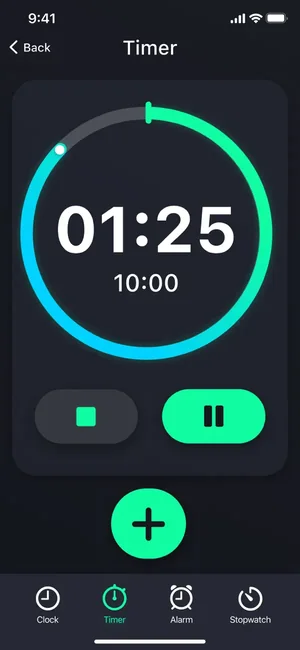
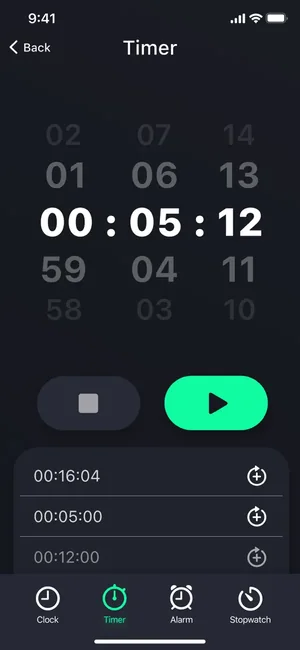
Most days need timing more than they need a clock: a dish in the oven, a focused work block, rounds at the gym. This app keeps a precise stopwatch with laps and several countdown timers side by side, so more than one thing can be running without you doing arithmetic in your head.
It also includes an interval mode for HIIT, Tabata and circuit training, ready-made presets you can edit, and sound notifications that tell you a round has ended without you watching the screen.
About this app
Looking for a handy timer app? Organize your time effectively with our countdown, stopwatch and HIIT timer! From cooking and exercising to studying and working, our timers will help you in various aspects of life. Our app can be used anytime and anywhere. Just set the timer the way you need it! The simple interface of the application will make tracking your daily activities much more enjoyable!
easy-to-use and universal timer app; - huge number of customizable parameters; - user-friendly interface and modern design; - 4 modes of quick start timer; - sound notifications for different types of activities.
Key features
- Features of the multifunctional timer
- Easy-to-use and universal timer app
- Huge number of customizable parameters
- User-friendly interface and modern design
When people use it
Interval training
Set work and rest periods for HIIT, Tabata or circuit training and let the sound cues carry you through the session.
Cooking several things at once
Run separate countdowns for each pan or tray; each one signals on its own when the time is up.
Focused work or study blocks
Start a countdown for a task, then a shorter one for a break, and keep the rhythm without watching the clock.
Timing repeats
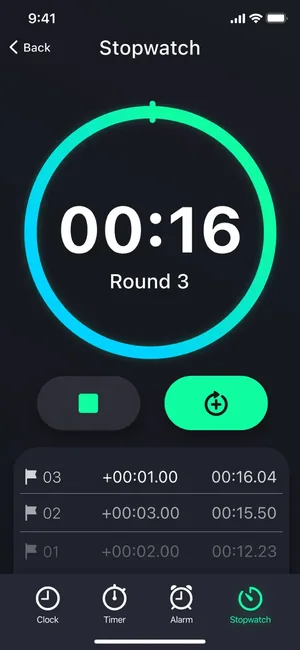
The stopwatch records laps, so you can compare rounds — useful for running, drills and anything you repeat.
How it works
Pick a mode
Switch between stopwatch, countdown timer and interval training from the tab bar.
Set it up or use a preset
Start from a ready-made preset or create your own with the durations, rounds and sounds you want.
Run several at once
Add more than one countdown and let them run in parallel, each with its own remaining time.
Listen for the signal
Sound notifications mark the end of a period, so the phone can stay in your pocket or on the counter.
Good to know
- The app is a timing tool, not a medical or coaching device — its own listing advises consulting a doctor or trainer before intense training and not ignoring pain.
- Access to all presets, voice and sound assistance and ad-free use are part of the paid subscription.
Pricing and privacy
Free · In-App Purchases. Subscriptions and purchases are handled by Apple; you can review or cancel them in your Apple Account settings.
Privacy Policy · EULA · Support and refunds
Facts on this page come from the App Store listing and the app's own screens, and were last checked on . Something out of date? Tell us.
Questions about Stopwatch & Countdown Timer
Can I run more than one timer at the same time?
Yes. Several countdowns can run in parallel, each showing its own remaining time and signalling separately when it finishes.
Is there an interval mode for workouts?
Yes — the app includes interval timing for HIIT, Tabata, circuit training and similar formats, with configurable work and rest periods.
Can I save my own settings?
The app ships with presets and lets you add your own, so a routine you repeat does not need to be set up again each time.
Does it keep timing when the screen is off?
Timers signal with sound notifications, so you do not need to keep watching the screen. Allow notifications so the alerts reach you.