Smart Alarm Clock for iPhone
An alarm you switch off by solving something — plus sleep mode, timer and talking clock.
- App Store name
- Smart Alarm Clock - Waking Up
- Category
- Utilities
- Price
- Free · In-App Purchases
- Requires
- iOS 15.0+
- Languages
- 10
- On the App Store since
- 2022
- Last updated
- 2026
What it does for you
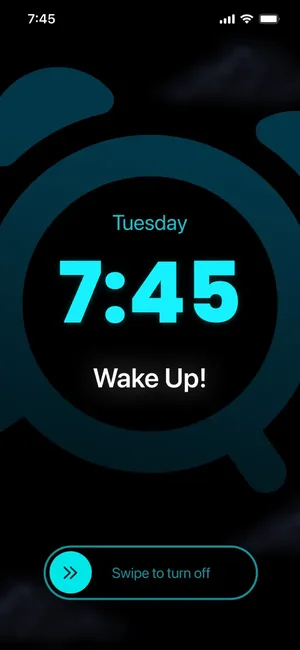
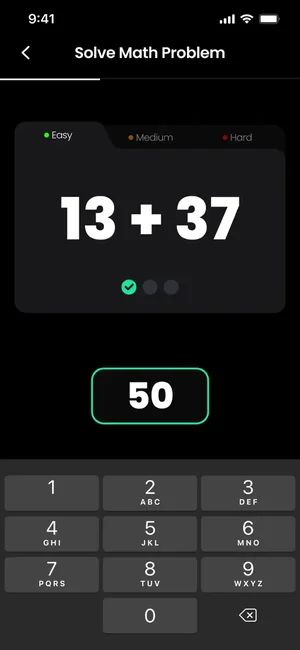
A standard alarm asks you to be disciplined at the exact moment you are least capable of it. Smart Alarm Clock takes a different route: before the sound stops, it asks you to solve a maths problem or repeat a colour pattern — a small task that takes enough attention that dismissing it on autopilot is hard.
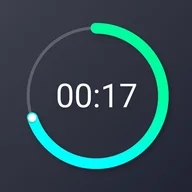
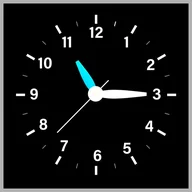
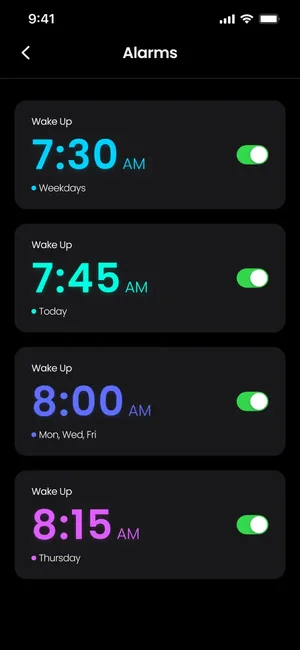
Around that it is a full bedside app: several alarms for different parts of the day, your own melodies, a sleep mode that fades music out on a timer, a countdown timer, a talking clock and a one-tap flashlight.
About this app
Forget about a bunch of non-working alarm clocks with meaningless functionality! Our application will help you: always arrive at work earlier in the morning, make it to important meetings in the afternoon, and set the time for cooking your favorite dishes in the evening.
Use your favorite ringtones and melodies Wake up to beautiful music and sounds. Make your awakening enjoyable!
Key features
- Use your favorite ringtones and melodies
- Solve math problems and wake up your brain
- Train your memory with patterns and different colors
When people use it
Waking up properly on work mornings
Set the alarm to require a maths problem or memory pattern before it switches off, and choose the difficulty that suits how deeply you sleep.
Falling asleep to music
Sleep mode plays melodies and fades them out automatically once its timer runs down, so nothing plays all night.
Alarms for the rest of the day
Add separate alarms for meetings, medication or the moment a dish needs to come out of the oven, each with its own sound and label.
A bedside clock
Leave the app in clock mode overnight; the talking clock reads the time aloud, and the flashlight is one tap away.
How it works
Set an alarm
Choose the time, the days it repeats and the melody you want to wake up to.
Pick how it switches off
Select a plain stop, a maths problem or a colour or pattern memory game, and set the difficulty.
Allow notifications
Allow notifications when the app asks — alarms are delivered through them.
Add sleep mode or a timer
Start sleep mode for a fade-out melody at bedtime, or use the countdown timer for anything that needs a signal after a set period.
Good to know
- Alarms are delivered through iOS notifications, so notifications must be allowed for the app. Behaviour after force-quitting the app, and under Focus, silent mode or Low Power Mode, depends on your iOS version and settings — test it with a throwaway alarm before relying on it for something that matters.
- Weather in the app requires location access; without it, the forecast simply is not shown.
- Dial customisation, extra ways to turn off the alarm, the unlimited sleep timer and the talking clock are part of the paid subscription.
Pricing and privacy
Free · In-App Purchases. Subscriptions and purchases are handled by Apple; you can review or cancel them in your Apple Account settings.
Privacy Policy · EULA · Support and refunds
Facts on this page come from the App Store listing and the app's own screens, and were last checked on . Something out of date? Tell us.
Questions about Smart Alarm Clock
Will the alarm work if the app is closed?
Alarms are delivered as iOS notifications, so notification permission is required — that is a one-time setting. Whether an alarm still fires after the app has been force-quit, or while Focus or silent mode is on, depends on your iOS version and device settings, so set a test alarm and confirm it behaves the way you need.
Can I wake up to my own music?
Yes — you can use your own ringtones and melodies rather than the built-in sounds, and set a different one for each alarm.
What are the maths and memory tasks for?
They are optional ways to switch the alarm off. Instead of a single tap, you solve a simple equation or repeat a colour or pattern sequence, which takes enough attention to leave you awake. You choose the difficulty.
Which features need a subscription?
Dial customisation, the additional turn-off methods, the unlimited sleep timer, the talking clock and ad-free use are part of the premium subscription. A free trial is offered before it starts, and it is managed in your Apple Account settings.