Virtual Piano Keyboard for iPhone
A full multi-touch piano keyboard with note guides, organ and synth voices.
- App Store name
- Perfect Piano Virtual Keyboard
- Category
- Music
- Price
- Free · In-App Purchases
- Requires
- iOS 10.0+
- Languages
- 11
- On the App Store since
- 2019
- Last updated
- 2023
What it does for you
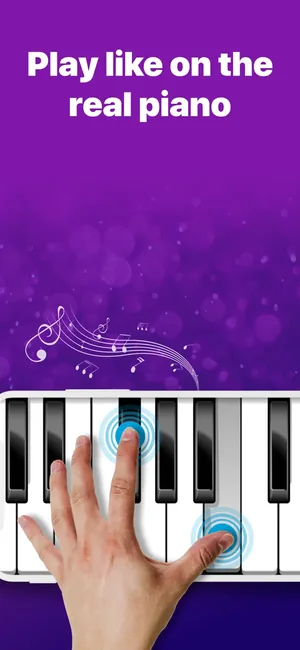
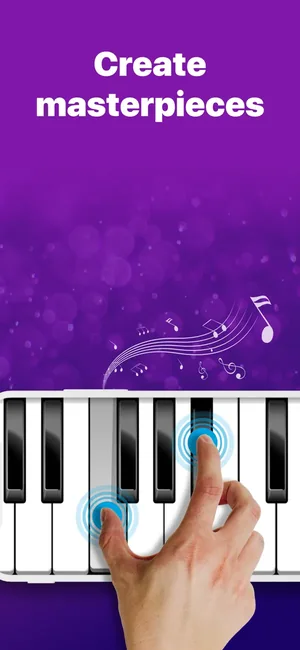
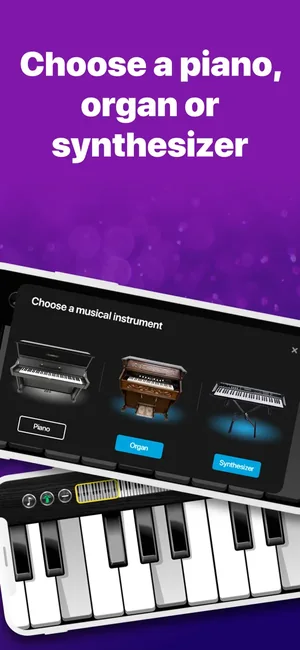
A full multi-touch keyboard on the screen, playable with both hands, with three voices to choose from — grand piano, synthesiser and organ. The key size is adjustable, which is what makes it usable on a phone as well as an iPad.
Around the keyboard sit the things you would otherwise need a second app for: a metronome, a sustain pedal, note names you can switch on while you are learning and off once you are not, and a mini-game that turns practice into something with a score.
About this app
Simple but super convenient piano app allows doing music regardless of place and time. You can not only play the piano but also learn chords, improve skills in the mini–game, and perform popular music.
Complete keyboard -- Multi-touch --- 3 instruments to choose from: grand piano, synthesizer, and organ -- Educational game --- Built-in metronome -- Sustain pedal --- On/off names of the keys -- Adjustable piano size
Key features
- Complete keyboard
- Multi-touch
- 3 instruments to choose from: grand piano, synthesizer, and organ
- Educational game
When people use it
Practising without a piano in the room
Chords and finger patterns can be worked through anywhere, which is the whole point of a keyboard that fits in a pocket.
Learning where the notes are
Key names can be displayed while you are finding your way and hidden once you are not relying on them.
Keeping time
The built-in metronome removes the need for a second app open beside this one.
Practice that does not feel like practice
The educational mini-game gives a reason to keep going past the first five minutes.
How it works
Set the keyboard to your screen
Adjust the key size so the span suits your hands and your device — narrow keys on a phone, wider on an iPad.
Choose a voice
Grand piano, synthesiser or organ.
Turn on what helps
Show the key names while learning, switch the metronome on when timing matters, and use the sustain pedal where the piece needs it.
Play or practise
Play freely with multi-touch, work on chords, or use the mini-game to drill.
Good to know
- A touchscreen has no key travel and no velocity under your fingers, so dynamics and expression cannot work the way they do on a real instrument. This is for practising notes, chords and timing, not touch.
- Bluetooth headphones add latency of their own, which is very noticeable when playing. Wired output or the device speaker responds faster.
- A phone screen fits only a couple of octaves comfortably. An iPad is a substantially better experience for anything two-handed.
- This page does not claim recording, MIDI or sheet-music import — none of those are evidenced by the listing or the screenshots.
Pricing and privacy
Free · In-App Purchases. Subscriptions and purchases are handled by Apple; you can review or cancel them in your Apple Account settings.
Privacy Policy · EULA · Support and refunds
Facts on this page come from the App Store listing and the app's own screens, and were last checked on . Something out of date? Tell us.
Questions about Perfect Piano Virtual Keyboard
Can I learn to play piano with this?
You can learn where the notes are, work on chords and practise timing with the metronome and the mini-game. What a touchscreen cannot teach is touch and dynamics, so treat it as a portable practice keyboard rather than a replacement for lessons and an instrument.
Which sounds are included?
Three: grand piano, synthesiser and organ.
Can I record what I play?
Recording is not among the features shown for this app, so we do not claim it here.
Why does it feel delayed through my headphones?
Bluetooth headphones introduce their own audio delay, which is very noticeable while playing. Use wired output or the device speaker for a faster response.