Guide
How to identify a plant from a photo
Photograph the plant so that one plant fills the frame, in daylight, with the leaves in focus, and open the picture in an identifier — you get a species name and a description in seconds. Treat the answer as a strong suggestion rather than a determination: confirm it against the description and, for anything you might eat or touch, against a specialist.
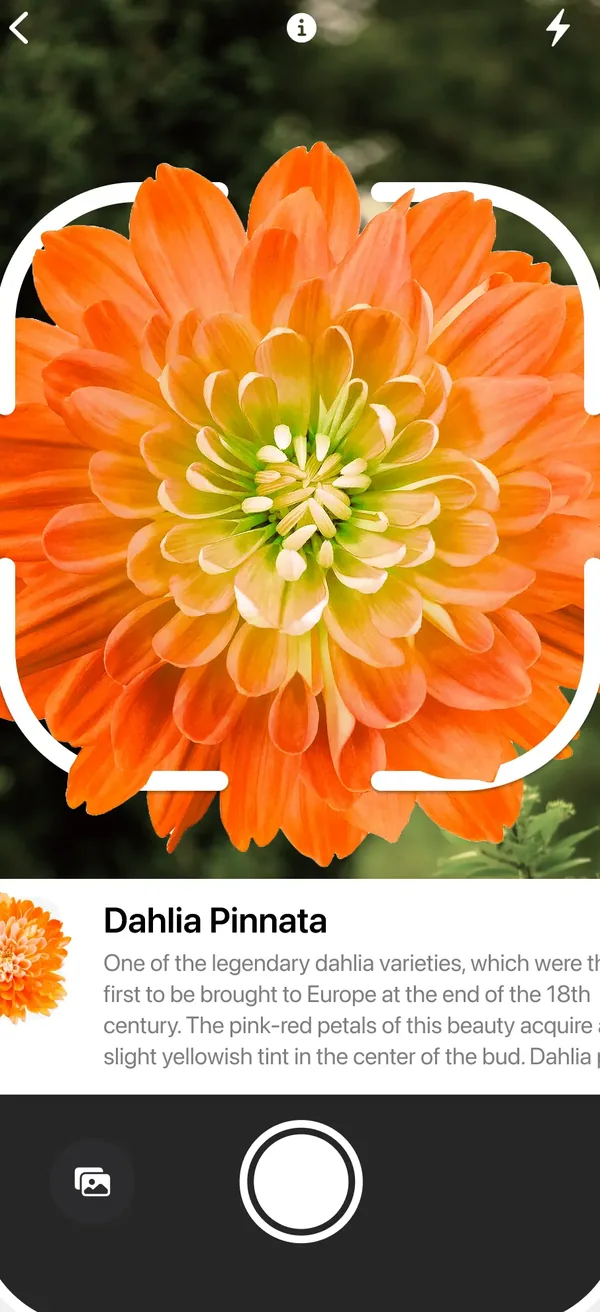
Take a photograph the identifier can read
One plant, filling the frame
A whole border of mixed planting gives the identifier nothing to lock onto. Get close enough that one plant is clearly the subject.
Photograph the leaves
Leaf shape, edge and arrangement carry most of the identifying detail. A flower alone is often ambiguous — many species share a flower shape.
Use daylight and hold still
Overcast daylight is ideal: no blown highlights, no deep shadow. Blur is the single most common reason for a wrong answer.
Add a second angle
The whole plant, then a close-up of a leaf and of the stem. Habit and stem detail separate species that look alike leaf-to-leaf.
Include something for scale
A hand or a coin in one frame tells you whether you are looking at a ground-cover plant or a shrub.
Check the answer before you act on it
An identifier returns its best match, and confident-looking output can still be wrong. The description under the name is there to be read against the plant in front of you.
- Compare the described leaf arrangement, stem and habit against what you are holding. Disagreement means keep looking.
- Check whether the species belongs in your region and season at all.
- Look up whether close look-alikes exist. Where they do, that is exactly where a photograph is weakest.
- Try again from another angle. Two photographs giving the same answer is a lot more convincing than one.
Beyond the name: keeping the plant alive
Once you know what it is, the useful questions start — and they are about light, water and whatever is eating it.
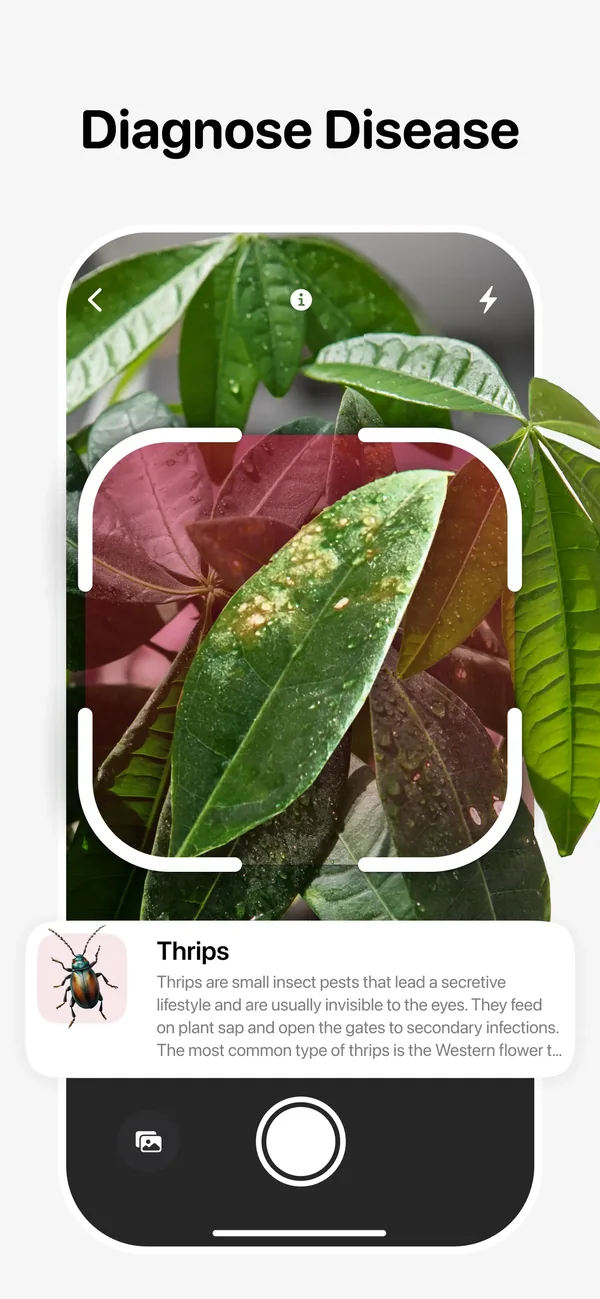
Diagnose a problem from the leaf
Photograph the affected leaf close up; the diagnosis screen names the likely cause — thrips damage, for instance — with notes on treatment.
Measure the light where it will live
Hold the phone where the pot will stand and read the value in lux. The app warns when the spot is too dark for that plant, which is more reliable than judging brightness by eye — your eyes adapt, a sensor does not.
Set watering reminders
Add the plant to your list so watering and fertilising arrive as reminders rather than as guilt.
Keep a journal
An occasional photograph makes slow decline or slow recovery visible, which is otherwise almost impossible to notice day to day.
Where photo identification must not be trusted
This is the part that matters more than any accuracy figure.
- Never use an app to decide whether something is safe to eat. Deadly species have edible look-alikes, and photo identification is not built to carry that risk.
- Mushrooms are not plants, and general identifiers are especially unreliable with them. The consequences of an error are severe.
- For a child or a pet that has swallowed part of a plant, contact a doctor, a vet or a poison information service immediately — do not spend time photographing leaves.
- For a plant that may be regulated, invasive or protected where you live, confirm with a local authority before acting.
Common questions
How accurate is plant identification from a photo?
Accurate enough to be genuinely useful on a clear photograph of a common plant, and unreliable on blurred, distant or partial pictures — and on species with close look-alikes. Treat the result as a starting point and confirm it against the description.
Can I identify a plant from a photo I already have?
Yes, if the plant is in focus and large enough in the frame. An old holiday snapshot with the plant somewhere in the background will rarely produce a usable answer.
Can an app tell me whether a plant is poisonous?
Do not rely on one for that. Identification apps make mistakes, and with foraging, a curious child or a pet, the cost of a mistake is far too high. Ask a specialist or a poison information service.
Why does it give a different answer each time?
Because each photograph shows different detail. Varying answers mean the pictures are not giving enough information — get closer, use daylight, and photograph leaves and stem rather than flowers alone.
Does it work on house plants as well as garden plants?
Yes, and house plants are usually the easier case: a single potted plant against a plain wall is close to ideal framing.
The app used in this guide

Appenvision publishes the app named in this guide. Where a step can be done with the tools already on your iPhone, that route is described first.
Sources
Official documentation for the system steps and for any general figure quoted. Product behaviour is described from the apps themselves; the sources below cover what is not ours to assert.
How this guide was put together
Written from the shipping iOS builds and the features visible in each app's own screens. Where a number or a behaviour could not be verified from the app or its App Store listing, it is not stated here.
System steps are described against current iOS as of the check date above, and app behaviour against the current App Store build. Exact iOS and app build numbers are added per release once the product team confirms them; where a behaviour depends on your own iOS version or settings, the guide says so rather than assuming.