Blur Photo Editor for iPhone
Paint a blur over faces or backgrounds, with an intensity slider and mosaic.
- App Store name
- Blur Photo - Effect Editor
- Category
- Utilities
- Price
- Free · In-App Purchases
- Requires
- iOS 14.0+
- Languages
- 30
- On the App Store since
- 2023
- Last updated
- 2025
What it does for you
Two quite different jobs share one tool. The first is protective: painting a blur over a face, a licence plate or an address before a photo goes anywhere. The second is aesthetic: softening a background so the subject stands out.
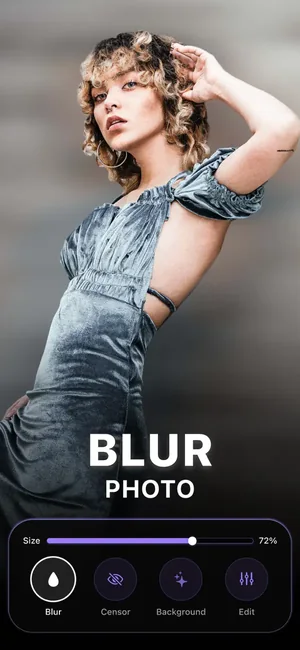
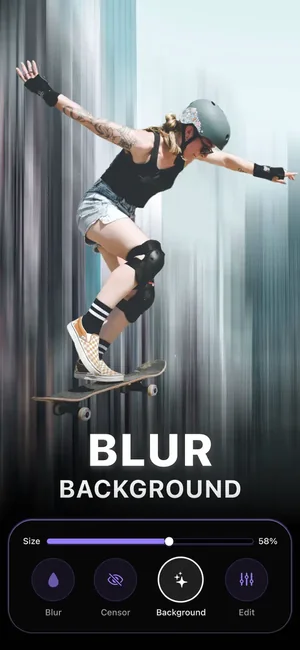
You paint the blur where you want it with a brush and set how strong it is with a slider, so the effect follows the picture rather than a rectangle you have to fight.
About this app
With our blur photo editor you can easily retouch and apply the blurry effect to your photos. Blur the whole picture, the background or just the face. The choice is yours!
Features of the photo blur effect editor ~ - apply motion blur, bokeh lens and mosaic - adjust your photographs and use photo effects - crop pictures to different sizes - quickly share your images
Key features
- Apply motion blur, bokeh lens and mosaic
- Adjust your photographs and use photo effects
- Crop pictures to different sizes
When people use it
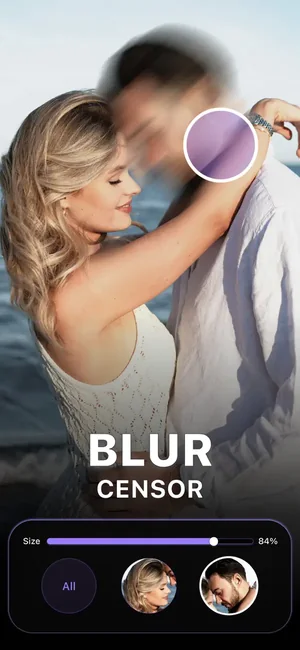
Hiding a face before posting
Someone in the background who did not agree to be published — brush over them and the picture is still usable.
Covering a plate, a document or an address
The everyday redaction job. Mosaic is the safer choice here: it destroys detail rather than smearing it.
Isolating the subject
Blurring behind a subject gives depth the phone camera did not capture, without a portrait mode.
Motion and bokeh
Motion blur and a bokeh lens effect are creative rather than protective, for when the picture wants energy or softness.
How it works
Open the photo
Bring in the image you want to edit.
Choose the effect
Blur, motion blur, bokeh lens or mosaic, depending on whether you are hiding something or styling it.
Paint where it goes
The brush applies the effect exactly where you drag it, so a face can be covered without touching the rest of the frame.
Set the strength
The intensity slider decides how heavy the effect is.
Crop and share
Crop to the size you need and export.
Good to know
- For redaction, use mosaic and be generous. A light blur can sometimes be partially reversed, and a face that is still recognisable through a soft blur has not been hidden.
- Blurring the picture does not remove what is stored alongside it. Location and camera metadata travel with a photo unless the app or platform strips it — this page makes no claim that it does.
- Check the exported file, not the preview. It is the saved image that gets shared.
- This page does not claim automatic face detection: the brush is manual, which is also why it does not miss the face in the corner an automatic tool would.
Pricing and privacy
Free · In-App Purchases. Subscriptions and purchases are handled by Apple; you can review or cancel them in your Apple Account settings.
Privacy Policy · EULA · Support and refunds
Facts on this page come from the App Store listing and the app's own screens, and were last checked on . Something out of date? Tell us.
Questions about Blur Photo
How do I blur a face or a licence plate?
Open the photo, choose the effect, and paint over the area with the brush. For anything you genuinely need hidden, use mosaic at a strong setting rather than a soft blur — and check the exported file, not the preview.
Is a blur enough to hide something permanently?
A heavy mosaic is far safer than a light blur, because it discards the detail instead of smearing it. If the consequence of the information getting out is serious, crop it out of the frame entirely.
Does it find faces automatically?
No — you paint where the effect goes. That is more work, and it is also why nothing gets missed by an automatic detector.
Does it remove location data from my photo?
We make no such claim. Photo metadata is handled by the app you share through and by the platform you post to; check those if location matters to you.