
Photo Collage Maker for iPhone
Build collages from your photos with grid layouts, backgrounds and stickers.
- App Store name
- Photo Collage Maker & Pics Art
- Category
- Utilities
- Price
- Free · In-App Purchases
- Requires
- iOS 13.0+
- Languages
- 31
- On the App Store since
- 2022
- Last updated
- 2024
What it does for you
Several photos in one frame, arranged so the set reads as one picture. Templates handle the arrangement across a wide range of aspect ratios, which matters because a square collage and a story-shaped one are different compositions, not the same one cropped.
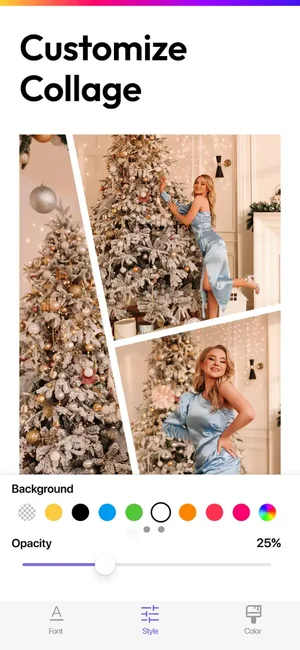
Beyond layout there is the finishing that makes a collage look deliberate: background colour, border weight and opacity, and text in a choice of fonts.

About this app
Add bright mood and colors to your social media feed! Feel the freedom of action! Create atmospheric and memorable photo collages in a few seconds. Experiment with paints and lettering. Frame your most vivid photo memories into amazing collages to your liking. Get cool photo content with important moments of your life!
A variety of templates with a large selection of aspect ratios; • Quick and easy adding text to photos; • Variety of fonts; • Gradient background filling; • Support for iPhone, iPad; • Saving collages in the photo gallery of the device; • Publication of finished collages in any social network.
Key features
- A variety of templates with a large selection of aspect ratios
- Quick and easy adding text to photos
- Variety of fonts
When people use it
A trip or an event in one image
Six photos as six posts is a flood; six photos as one collage is a story.
Posting to a specific shape
Aspect ratios are chosen up front, so a collage built for a square feed is not squeezed into a story frame.
Adding words to the picture
Text with a choice of fonts, for a date, a place or a caption that belongs inside the image.
Reusing a layout you like
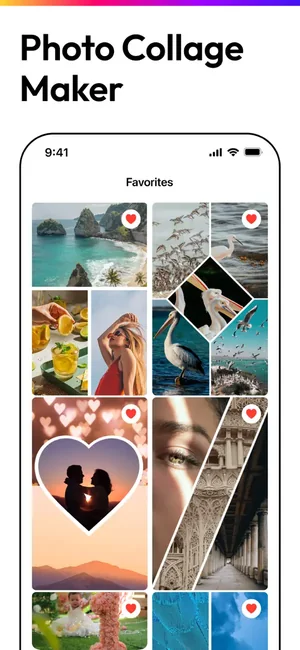
Favourites keep the templates and shapes you return to.
How it works
Choose a layout and ratio
Decide the shape first — square, portrait, story — then the arrangement inside it.
Add your photos
Fill the frames; the template holds the composition.
Adjust the frame
Background colour, border weight and opacity change how separated or merged the photos feel.
Add text
Place wording in the font that suits the set.
Save and share
Export the finished collage and post it.
Good to know
- A collage shrinks every photo it contains. Six images in one frame means each is a sixth of the detail — busy photographs suffer most.
- This page does not state an export resolution, because none is published for this listing. Export a test if print or a large screen is the destination.
- Photos of very different exposure or colour temperature look mismatched side by side. Adjusting them before they go in the collage helps more than any border will.
- The app builds and exports the collage; posting happens in your social app.
Pricing and privacy
Free · In-App Purchases. Subscriptions and purchases are handled by Apple; you can review or cancel them in your Apple Account settings.
Privacy Policy · EULA · Support and refunds
Facts on this page come from the App Store listing and the app's own screens, and were last checked on . Something out of date? Tell us.
Questions about Photo Collage Maker & Pics Art
How many photos can go in one collage?
It depends on the template you pick. Bear in mind that each photo gets a fraction of the final image, so fewer and larger usually looks better than many and small.
Can I make a collage for Instagram stories?
Yes — choose the story aspect ratio before you start, rather than building a square and cropping it afterwards.
Can I add text?
Yes, with a choice of fonts, placed inside the collage.
What resolution does it export?
Not published for this listing, so we do not state a figure. Run a test export if the collage is going anywhere larger than a phone screen.