
Lightroom Presets for iPhone
One-tap looks for your photos.
- App Store name
- Presets for Lightroom Editor
- Category
- Utilities
- Price
- Free · In-App Purchases
- Requires
- iOS 15.6+
- Languages
- 31
- On the App Store since
- 2023
- Last updated
- 2026
What it does for you
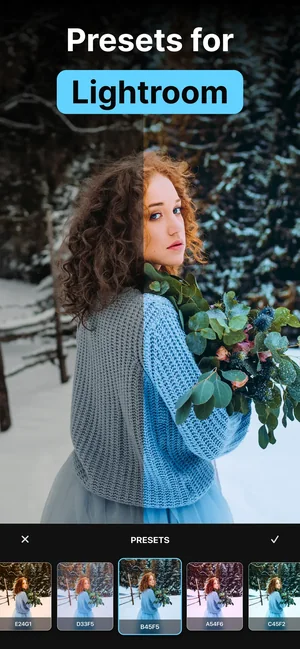
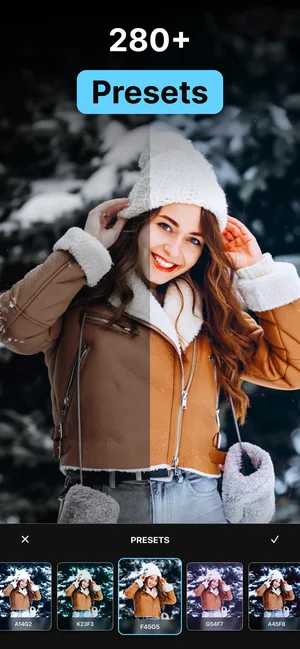
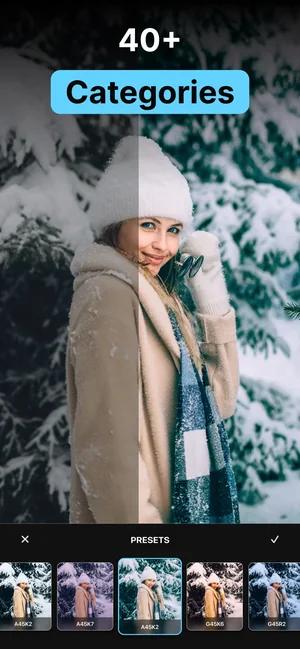
The hard part of editing is not moving sliders; it is landing on a look and then repeating it. This app is a library of one-tap looks organised by category — summer, film, fashion, food and more — each shown on a real example so you can see what it does before you commit.
Search by tag when you know what you are after, keep the ones you use in favourites, and a feed stops being a set of unrelated photographs and starts looking like it came from the same person.
About this app
Presets for Lightroom Editor is a shortcut to consistent, polished photos: a large collection of one-tap looks organised by category — summer, film, fashion, food and more — each shown on a real example before you commit.
Search by tags, keep favourites at hand and build a recognisable style for social media without redoing the same edits photo after photo.
Key features
- Hundreds of categorised presets
- Instant before-and-after previews
- Search by tags
- Favourites for everyday editing
When people use it
A consistent look across a set
The same preset over a shoot or a trip is what makes a grid read as one body of work rather than a pile of pictures.
Finding a style without starting from zero
Browsing categories with before-and-after previews is a faster way to discover what you like than pushing sliders and hoping.
Editing quickly and repeatably
Favourites keep the three or four looks you actually use one tap away.
How it works
Browse or search
Move through the categories, or search by tag when you already know the look you want.
Check the preview
Every preset is shown on a real example, so you can judge it before applying it to your own photo.
Apply it to your photo
One tap puts the look on the image.
Adjust to taste
A preset is a starting point. Exposure and white balance almost always need a nudge for your particular shot.
Save your favourites
Keep the looks you return to so the next edit is immediate.
Good to know
- A preset is not a fix. It assumes a reasonably exposed, reasonably sharp photograph — it cannot rescue a blurred, badly lit or heavily compressed image.
- The same look lands differently on different photographs. Skin tones, mixed indoor lighting and strong colour casts are where a preset most often needs correcting by hand.
- This page does not state a file format, an import route or a version dependency for use with any external editor, because none of that is published for this listing. If you need presets in a specific format for a specific app, confirm that first.
- Lightroom is a product of Adobe. This app is not made by or affiliated with Adobe.
Pricing and privacy
Free · In-App Purchases. Subscriptions and purchases are handled by Apple; you can review or cancel them in your Apple Account settings.
Privacy Policy · EULA · Support and refunds
Facts on this page come from the App Store listing and the app's own screens, and were last checked on . Something out of date? Tell us.
Questions about Presets for Lightroom
How many presets are there?
Hundreds, sorted into categories such as summer, film, fashion and food, each shown on a real example before you apply it.
Will a preset work on any photo?
It will apply to any photo, but it will not suit every one. Presets assume a decently exposed image, and skin tones and mixed indoor light usually need a manual adjustment afterwards.
What format are they in and can I import them elsewhere?
That is not published for this listing, so we do not state a format here. If you need a specific file type for a specific editor, confirm it before buying.
Is this made by Adobe?
No. Lightroom is Adobe's product; this app is an independent preset library and is not affiliated with Adobe.