Network Analyzer for iPhone — WiFi & LAN Scanner
See exactly how your network behaves.
- App Store name
- Speed Test & Wifi Analyzer +
- Category
- Utilities
- Price
- Free · In-App Purchases
- Requires
- iOS 15.0+
- Languages
- 31
- On the App Store since
- 2021
- Last updated
- 2026
Need a simple speed history? WIFI & Internet Speed Test is built for that
What it does for you
When a video stalls or a call breaks up, the useful question is not “is the internet down?” but “where exactly is it failing?” Speed Test & Wifi Analyzer answers that. It measures what your connection actually delivers — download, upload and latency — and then goes further than a speed number: it lists every device on your network, traces the route your data takes, and shows the technical detail of the Wi-Fi networks around you.
It is built for the moment something feels slow at home: check the speed, see whether the problem is your router, your neighbours' congestion or the route beyond your provider, and find the spot in the room where the signal is strongest before you move the desk.
About this app
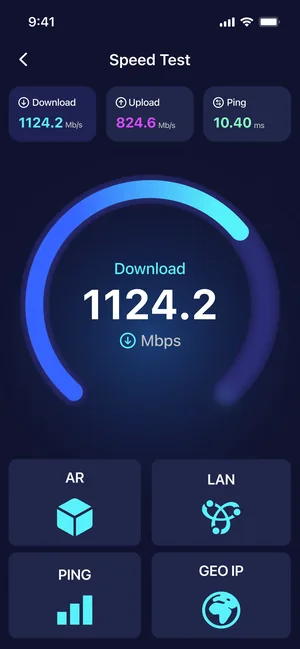
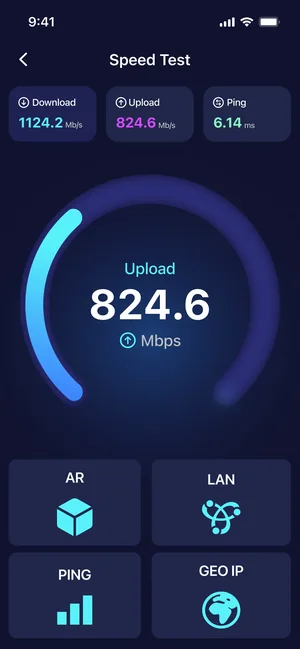
Speed Test & Wifi Analyzer is a full network toolbox, not just a speed gauge. Measure real download, upload and ping, inspect nearby Wi-Fi networks, and see every device connected to yours with the LAN scanner — useful the moment something feels slow at home.
The deeper tools go where router apps do not: traceroute shows each hop your data takes, open-port scanning explains what your device exposes, IP geolocation maps any address, and AR mode visualises signal strength so you can find the strongest spot in a room.
Key features
- Real download, upload and ping measurement
- AR mode finds the strongest Wi-Fi spot in a room
- LAN scanner shows every device on your network
- Traceroute, open-port scanning and IP geolocation
When people use it
Checking what you actually pay for
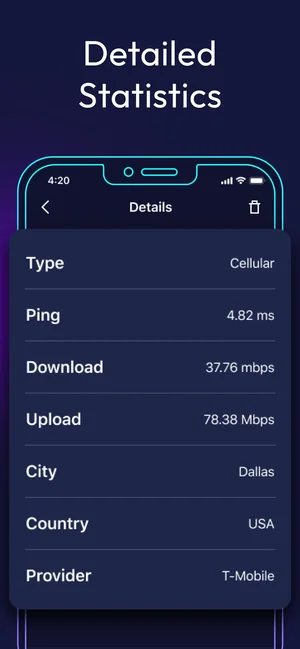
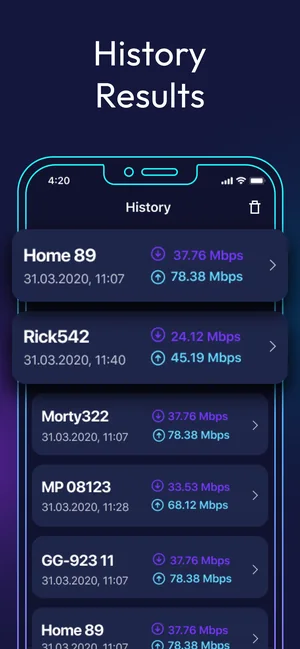
Run a speed check and compare download, upload and ping against your plan. Results are kept in a history list, so you can compare morning and evening, or before and after a router change.
Finding the best spot for the router
AR mode places markers around the room and shows real-time delay between your router and the phone, so you can walk the space and see where the connection holds up instead of guessing.
Seeing who is on your network
The LAN scanner lists active devices with their IP addresses and provider details — useful when you want to know what is connected to your home Wi-Fi.
Diagnosing a slow route, not a slow line
Traceroute follows a request hop by hop and shows where delay appears, which separates a local Wi-Fi problem from one further along the path.
How it works
Run a speed check
Open the app and start a test. Download, upload and ping are measured against a test server and saved to your history.
Look at the network around you
Switch to the Wi-Fi tools to see technical data about nearby networks and your cellular signal strength.
Scan your own network
Run the LAN scan to list connected devices, or the port scan to see which ports your device currently has open.
Trace and locate
Use traceroute to follow the path of a request, and IP geolocation to place an address on the map.
Good to know
- Speed results depend on the test server, the time of day and other traffic on your network — run several tests before drawing conclusions.
- AR mode needs camera access and works best in a lit room with space to walk around.
- The app reports what it measures; it cannot change your provider's plan or fix router hardware.
Pricing and privacy
Free · In-App Purchases. Subscriptions and purchases are handled by Apple; you can review or cancel them in your Apple Account settings.
Privacy Policy · EULA · Support and refunds
Facts on this page come from the App Store listing and the app's own screens, and were last checked on . Something out of date? Tell us.
Questions about Speed Test & Wifi Analyzer
Why do my results differ from my plan's advertised speed?
Advertised speeds are maximums measured under ideal conditions. Real results depend on Wi-Fi distance and interference, how many devices share the line, the time of day and the test server. Running the test several times, and once over a wired connection if possible, gives a fairer picture.
What is a good ping?
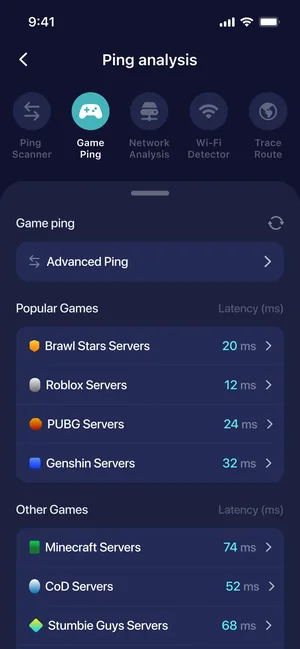
Ping is the round-trip delay of a small request. Lower is better: browsing and streaming tolerate higher values, while video calls and games are more sensitive to it. The app shows ping alongside download and upload so you can see all three together.
Does the app work on cellular as well as Wi-Fi?
Yes. You can measure the connection on either, and the app shows technical details of the cellular signal as well as nearby Wi-Fi networks.
What does the LAN scanner show?
It lists the devices currently active on the network you are connected to, with details such as IP address and provider information — helpful for spotting a connection you do not recognise.