Universal TV Remote for iPhone
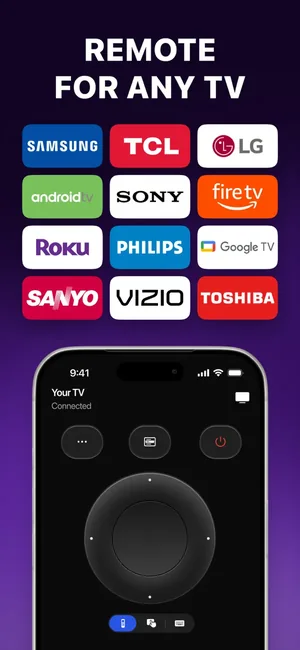
A remote for Samsung, LG, Sony, Roku, Philips and Toshiba sets, plus casting.
- App Store name
- Universal Remote — TV Control
- Category
- Utilities
- Price
- Free · In-App Purchases
- Requires
- iOS 16+
- Languages
- 12
- On the App Store since
- 2026
- Last updated
- 2026
What it does for you
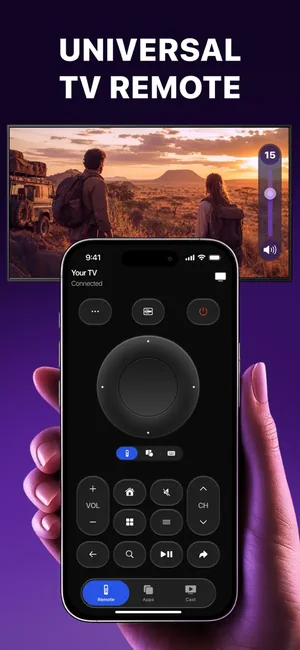
The physical remote goes missing, the buttons stop working, or there are three of them and none is the right one. This app puts a directional pad, playback controls and menu navigation on the phone that is already in your hand.
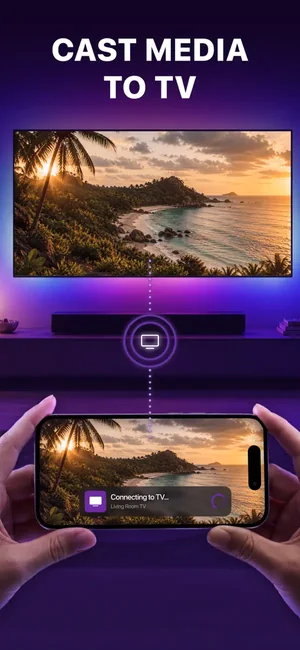
It works over Wi-Fi rather than infrared, which is why it only talks to smart TVs — and why the phone and the television have to be on the same network. Beyond the remote itself it launches TV apps, casts photos and video from the phone to the screen, and supports IPTV playlists.
About this app
Control your Smart TV directly from your phone with a fast and convenient smart TV remote app. Use a universal remote to connect to compatible TV devices over the same Wi-Fi network, control playback and navigate TV menus with one clear interface. This remote control for TV helps replace your physical remote and simplifies everyday entertainment.
Universal Smart TV Remote • TV App Launcher • Photo Casting • Video Casting • IPTV Playlist Support • Fast Wi-Fi Connection
Key features
- Universal Smart TV Remote
- TV App Launcher
- Photo Casting
- Video Casting
When people use it
The remote has vanished
The classic case. If the TV is a smart TV on your Wi-Fi, the phone takes over the directional pad, volume and playback.
Getting to an app without the menu maze
The app launcher opens a TV app directly instead of walking the on-screen menu.
Putting a photo or a video on the big screen
Cast from the phone so everyone in the room can see it, rather than passing the handset around.
IPTV playlists
The app supports IPTV playlist playback alongside the remote functions.
How it works
Put both devices on the same Wi-Fi
This is the one requirement everything else depends on. The phone and the TV must be on the same network — not the guest network, not mobile data.
Let the app find the TV
It scans the network for compatible sets and lists what it finds.
Pair
Most televisions show a confirmation prompt or a PIN on screen the first time; accept it on the TV.
Use it as a remote
Directional pad, volume, playback and menu navigation from the phone.
Launch apps or cast
Open a TV app from the launcher, or cast a photo or video from the phone to the screen.
Good to know
- Smart TVs only. This is a network remote, not an infrared blaster — an older television with no network connection cannot be controlled by it, whatever the brand.
- The App Store screenshots name Samsung, LG, Sony, Roku, Philips and Toshiba. Support depends on the individual model and its firmware as much as on the brand, so check your own set before relying on it. We do not publish a per-model compatibility table because we do not have tested results for one.
- Both devices must be on the same Wi-Fi network. A guest network, a separate band with client isolation, or a VPN on the phone will each stop discovery working.
- Casting and screen mirroring are not the same thing: casting sends a specific photo or video to the TV, and this app casts. It does not mirror the whole phone display.
Pricing and privacy
Free · In-App Purchases. Subscriptions and purchases are handled by Apple; you can review or cancel them in your Apple Account settings.
Privacy Policy · EULA · Support and refunds
Facts on this page come from the App Store listing and the app's own screens, and were last checked on . Something out of date? Tell us.
Questions about Universal Remote
Will it work with my TV?
It works with smart TVs that can be controlled over the network, and the screenshots name Samsung, LG, Sony, Roku, Philips and Toshiba. Support varies by model and firmware, so test it with your own set — an older TV without a network connection cannot work at all.
Why can't the app find my TV?
Almost always the network. Check that the phone and the TV are on the same Wi-Fi — not the guest network — turn off any VPN on the phone, and make sure the TV is switched on rather than in standby.
Does it work like an old infrared remote?
No. It sends commands over Wi-Fi, so it needs a smart TV on the same network. Modern iPhones have no infrared transmitter, so no app can control a non-network TV directly.
Can I mirror my whole screen?
The app casts photos and video to the television. That is not the same as mirroring the entire phone display, and this page does not claim mirroring.