PDF Scanner for iPhone — OCR, Sign & Fax
Scan, sign and send documents in seconds.
- App Store name
- PDF Scanner - Fax, Sign & Edit
- Category
- Productivity
- Price
- Free · In-App Purchases
- Requires
- iOS 15.0+
- Languages
- 31
- On the App Store since
- 2026
- Last updated
- 2026
What it does for you
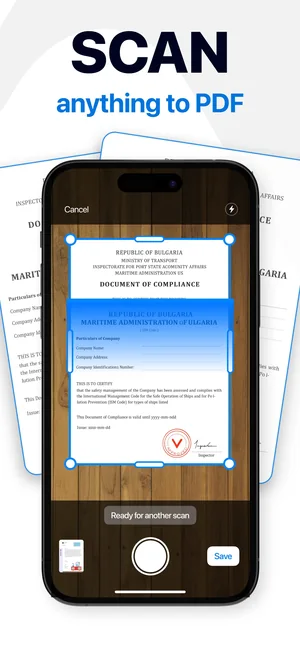
A phone camera photograph of a contract is a photograph: crooked, shadowed, and useless to anyone expecting a document. PDF Scanner does the part that makes it a document — it finds the page edges, straightens the perspective, cleans the page and gives you a PDF instead of a picture.
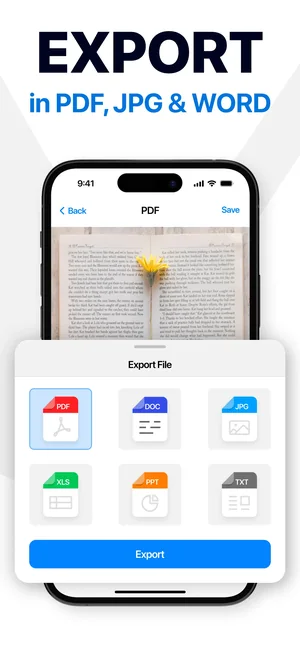
From there the follow-up work happens in the same app: recognise the text so the file can be searched, add a signature, mark up what matters, protect it with a password, then export it as PDF, JPG or Word — or send it straight out by fax, email or messenger.
About this app
PDF Scanner replaces the office corner of your bag: point the camera at any paper — a contract, an ID, a receipt — and it becomes a clean, editable PDF in seconds. Image-to-text recognition keeps the content searchable, and built-in tools handle the follow-up: sign it, watermark it, highlight what matters.
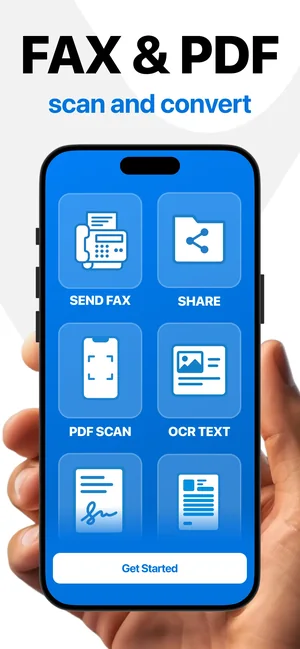
Sharing is part of the workflow, not an afterthought. Send documents by fax without leaving the app, protect files and folders with a password, and keep study notes, work papers and personal records organised in one place.
Key features
- Instant document and ID scanning with the camera
- Image-to-text (OCR) recognition for scanned pages
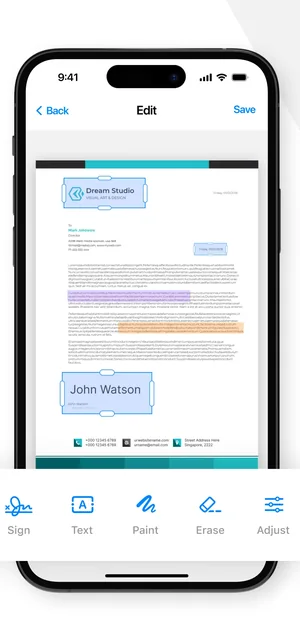
- Electronic signatures, watermarks and annotations
- Built-in fax sending and password protection
When people use it
Signing and returning a contract
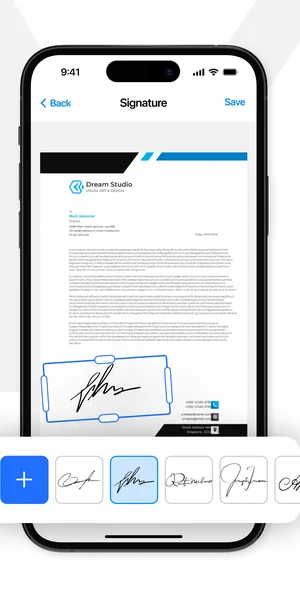
Scan the pages, add your signature where it belongs, and send the finished PDF back without a printer, a pen or a scanner.
Receipts and expenses
Scan each receipt as it appears. With text recognition run, the pile becomes searchable later — the amount you need is a search away rather than a scroll.
Lifting text out of a printed page
OCR turns a scanned page into text you can select and copy, which is what you want when the source only exists on paper.
Papers you would rather not lose
IDs, certificates and study notes scanned once and kept behind a password stay legible and available on the phone you already carry.
How it works
Point the camera at the page
Choose PDF Scan on the home screen. The app detects the edges of the paper and corrects the angle, so the scan is square even when the phone was not.
Add the pages you need
Keep shooting to add pages to the same document rather than producing a folder of loose images.
Recognise the text
Run OCR Text to make the words in the scan selectable and searchable.
Sign, mark up, protect
Place an electronic signature, add a watermark or highlight, and set a password on the file or folder if it is sensitive.
Export or send
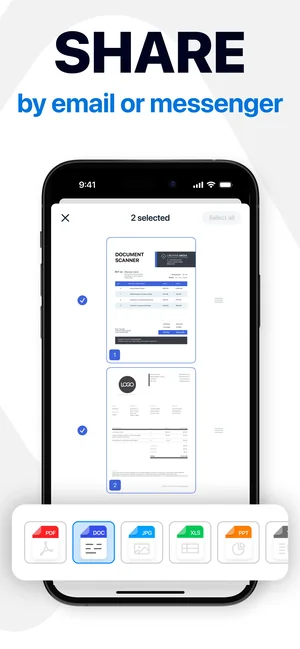
Export as PDF, JPG or Word, share by email or messenger, or send the document as a fax from inside the app.
Good to know
- OCR accuracy depends on what you photographed. Clean printed type on a flat, well-lit page reads well; handwriting, faint receipts, heavy patterns and creased paper read poorly.
- Shadow across a page is the most common cause of a bad scan — light from the side, or lifting the phone rather than leaning over the page, fixes most of them.
- Fax sending, and some export and protection features, are paid; the App Store listing shows what is included in the current subscription.
- A scanned signature is an image of your signature. Whether it is legally sufficient depends on the document and the country, and the app does not decide that for you.
Pricing and privacy
Free · In-App Purchases. Subscriptions and purchases are handled by Apple; you can review or cancel them in your Apple Account settings.
Privacy Policy · EULA · Support and refunds
Facts on this page come from the App Store listing and the app's own screens, and were last checked on . Something out of date? Tell us.
Questions about PDF Scanner
Can I get editable text out of a scan?
Yes — run OCR on the scan and the recognised text can be selected and copied, or exported to Word. How closely it matches the original depends on the print quality and the lighting.
Does it scan multi-page documents?
Yes. Keep adding pages and they collect into one document instead of separate images.
Can I really send a fax from my phone?
Send Fax is on the home screen and sends the scanned document without another device. It is a paid feature.
How do I keep a scan private?
Files and folders can be password-protected inside the app. Anything you then share by email, messenger or fax leaves that protection behind, so share deliberately.
Guides that use this app
- How to scan a document to PDF on iPhone Three ways to turn paper into a real PDF on iPhone: the Notes app, the Files app, and a dedicated scanner when you need OCR, signatures or multi-page control.
- How to get text out of a photo on iPhone Copy text out of any picture on iPhone with Live Text, and use OCR in a scanner app when you need a searchable multi-page document instead of a snippet.