4K Wallpapers for iPhone
4K and HD wallpapers for the home and lock screen, in themed collections.
- App Store name
- Wallpapers 4K & HD Background
- Category
- Utilities
- Price
- Free · In-App Purchases
- Requires
- iOS 14.0+
- Languages
- 31
- On the App Store since
- 2019
- Last updated
- 2025
What it does for you
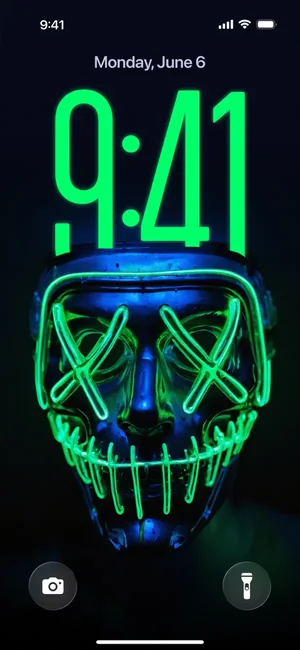
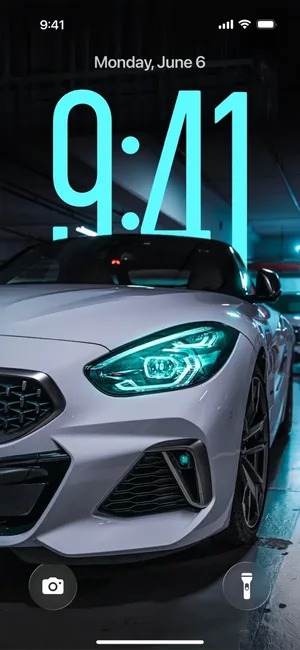
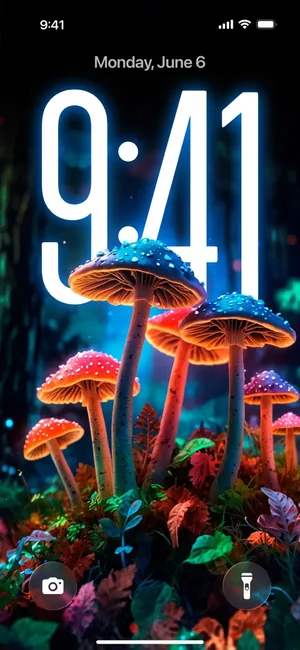
A browsable library of 4K and HD wallpapers sorted into themed collections, previewed the way you will actually see them — on a lock screen, behind the clock, rather than as a flat thumbnail.
That preview is the useful part. A wallpaper that looks striking in a grid often loses its subject behind the time and the notifications; seeing it in place first saves setting and unsetting.
About this app
Our application offers you a simple and convenient way to customize your device's screen with the most beautiful and stylish wallpapers. Clear navigation, high performance and regular updates turn the application into an intuitive experience for users.
Features: - Categorized Wallpaper Collections - Vast Image Library - User-friendly Interface and Stylish Design - Regular Updates and Adjustments
Key features
- Categorized Wallpaper Collections
- Vast Image Library
- User-friendly Interface and Stylish Design
- Regular Updates and Adjustments
When people use it
Changing the look of the phone
The fastest visible change you can make to a device, and it costs nothing but a scroll.
Finding a style rather than a picture
Themed collections mean you browse a mood — neon, cars, nature — instead of an undifferentiated feed.
Checking it works behind the clock
The lock-screen preview shows what the time and widgets will cover before you commit.
How it works
Browse a collection
Move through the themed categories rather than one long list.
Preview it on a lock screen
See the wallpaper behind the clock, which is where a busy image usually falls apart.
Save the image
Keep it to your photo library.
Set it in iOS Settings
Settings, Wallpaper, then Add New Wallpaper and choose it from Photos. Setting a wallpaper is an iOS step — no app can do it for you.
Good to know
- Setting the wallpaper happens in iOS Settings, not in the app. Any app can only save the image to your library.
- iPhone screens differ in shape, so an image made for one device can be cropped on another. The preview shows you this before you save.
- This page does not state how many wallpapers the library holds or how often it is updated: no inventory snapshot or release record backs either figure.
- Depth effect and the way iOS layers the clock over a subject depend on the image and on your iOS version — not every wallpaper will work with it.
Pricing and privacy
Free · In-App Purchases. Subscriptions and purchases are handled by Apple; you can review or cancel them in your Apple Account settings.
Privacy Policy · EULA · Support and refunds
Facts on this page come from the App Store listing and the app's own screens, and were last checked on . Something out of date? Tell us.
Questions about Wallpapers 4K & HD Background
How do I set a wallpaper on iPhone?
Save the image to your photo library, then open Settings, Wallpaper, Add New Wallpaper and pick it from Photos. The final step is always iOS's own — no app can set it directly.
Will the image fit my iPhone?
The collections are 4K and HD, which is more than any iPhone screen needs, but screen proportions differ by model so some cropping is normal. The lock-screen preview shows the result before you save.
How many wallpapers are there?
We do not publish a figure, because there is no inventory snapshot behind one. Browse the collections and judge for yourself.
Why does the clock cover the best part of the picture?
That is what the lock-screen preview is for. Images with the subject low or to one side survive the clock and the widgets far better than centred ones.