Guide
How to count steps on iPhone without an Apple Watch
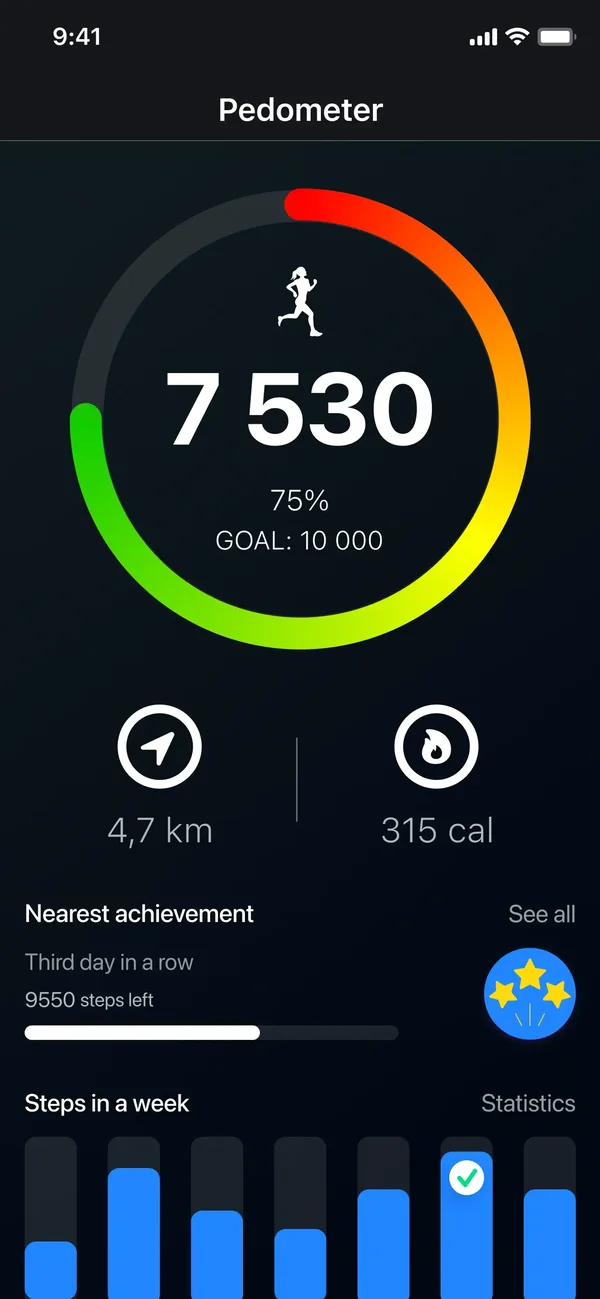
You do not need an Apple Watch or any accessory: every iPhone since the 5s has a motion coprocessor that counts steps in the background, and the Health app already has the data. Open Health, tap Browse, choose Activity and then Steps. A step-counting app reads the same sensor but adds goals, streaks, a home-screen widget and statistics that Health does not put in front of you.
Your iPhone is already counting
This surprises people: step counting is not a feature you switch on. The phone's motion coprocessor has been recording steps in the background since you set it up, and the history is already there.
Open the Health app
Health is included with iPhone, but on iOS 14 or later it can be deleted and restored from the App Store. If an Apple Watch is paired, Apple may ask you to unpair it first. Apple says health data remains on the iPhone, although some Health features are turned off.
Tap Browse, then Activity
Activity groups everything movement-related.
Choose Steps
You get today's total plus a history going back to whenever your current phone was set up.
Add it to Favourites
Tap the star so steps appear on the Summary tab instead of three taps deep.
How the phone knows
An accelerometer measures acceleration in three axes, and a low-power coprocessor watches that signal for the rhythm of walking. Because that chip runs separately from the main processor, counting continues with the screen off and costs very little battery — which is why nothing needs to be started or stopped.
It also means the phone has to be on you. Steps taken while it sits on a desk are not counted by anything, on any app.
When a dedicated app earns its place
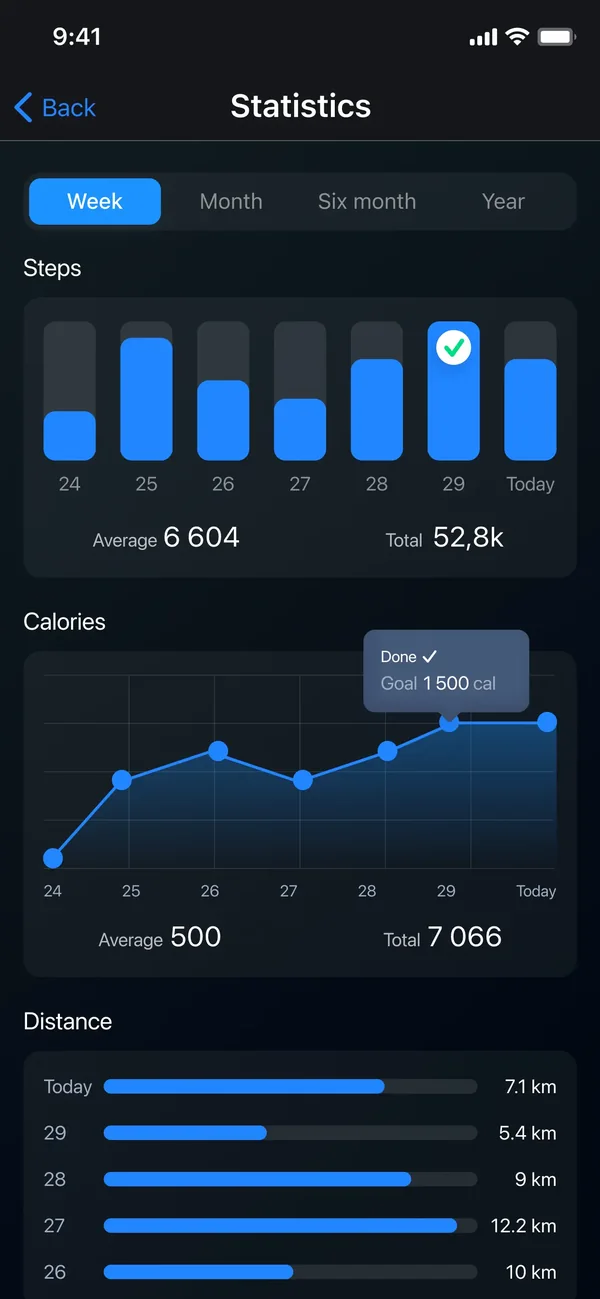
Health stores the data; it does not motivate anyone. A step app reads the same sensor and adds the layer around it.
- A daily goal with a ring you actually see, rather than a figure you have to navigate to.
- A home-screen widget — the single biggest behavioural difference, because the number is in front of you.
- Streaks and achievements, which are the reason people keep going past week two.
- Statistics by day and week, with distance and calories alongside the raw count.
- GPS route tracking for a deliberate walk or run, which the step counter alone does not give you.
Why the numbers do not match
- Phone versus watch: a watch is on your wrist all day, a phone is not. The watch will almost always read higher, and neither is wrong — they measured different things.
- Pushing a trolley or a pram damps the arm and hip movement the sensor looks for, so counts drop.
- Carrying the phone in a bag rather than a pocket changes the signal it sees.
- Cycling, driving on a rough road and even some hand movements can register as steps.
- Different apps apply different filters to the same raw data, so two apps on one phone can disagree by a few per cent.
- Treat step counts as a consistent relative measure — today against last Tuesday — not as an exact tally.
If your steps are not being counted
- Check Settings, Privacy & Security, Motion & Fitness, and make sure Fitness Tracking is on. With it off, nothing counts, including Health.
- Check the same screen for the app's own permission to read motion data.
- Carry the phone in a pocket or a holder rather than a bag for a day and compare.
- Low Power Mode can affect background activity for apps; the phone's own counting continues.
Common questions
Does the iPhone count steps without any app?
Yes. Every iPhone from the 5s onwards counts steps with its motion coprocessor, and the data is in the Health app under Browse, Activity, Steps. No accessory and no download are needed.
Do I need an Apple Watch to track steps accurately?
No. A watch tends to count more, because it is on your wrist all day while the phone is not always on you. For tracking your own trend over time, the phone alone is perfectly adequate.
Does step counting drain the battery?
Very little. The counting runs on a separate low-power coprocessor rather than on the main processor, which is why it can run permanently in the background.
Why does my step app show a different number from Health?
Both read the same sensor, but apps apply their own filtering and may count from a different start time. Small differences are normal; a large gap usually means a permission or a time-zone issue.
Will it count steps if the phone is in my bag?
Usually yes, but less reliably than in a pocket. The sensor is looking for the rhythm of your body moving, and a bag absorbs some of it.
The app used in this guide
Appenvision publishes the app named in this guide. Where a step can be done with the tools already on your iPhone, that route is described first.
Sources
Official documentation for the system steps and for any general figure quoted. Product behaviour is described from the apps themselves; the sources below cover what is not ours to assert.
How this guide was put together
Written from the shipping iOS builds and the features visible in each app's own screens. Where a number or a behaviour could not be verified from the app or its App Store listing, it is not stated here.
System steps are described against current iOS as of the check date above, and app behaviour against the current App Store build. Exact iOS and app build numbers are added per release once the product team confirms them; where a behaviour depends on your own iOS version or settings, the guide says so rather than assuming.