AI Avatar Generator for iPhone
Your portrait, in any style.
- App Store name
- AI Avatar Generator & Editor
- Category
- Utilities
- Price
- Free · In-App Purchases
- Requires
- iOS 14.0+
- Languages
- 30
- On the App Store since
- 2024
- Last updated
- 2025
What it does for you
AI Avatar Generator does one narrow thing well: it turns your selfies into stylised portraits that still read as you. Pick a style from the catalogue — sci-fi, fantasy, playful — and you get a portrait for a profile, a chat or anywhere a picture of you goes.
There is also a filter mode that restyles photographs you already have, and a small set of editing tools for tidying the result afterwards. Generated images are kept in collections so a set stays together instead of scattering through your camera roll.
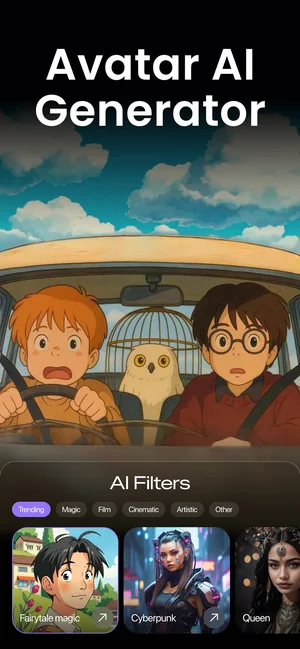
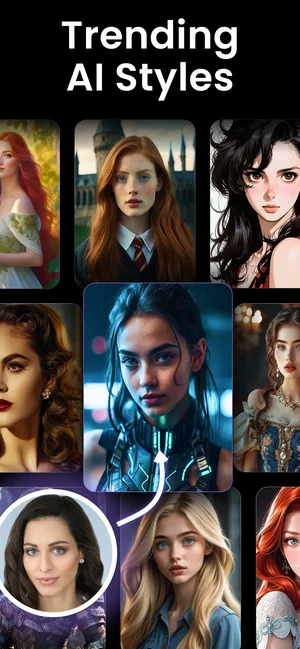
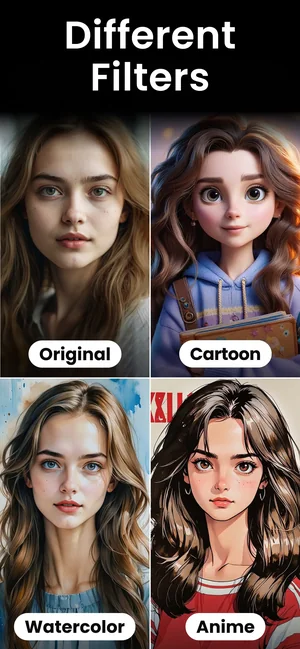
About this app
AI Avatar Generator turns selfies into stylised digital portraits: pick a style from the catalog — sci-fi, fantasy, playful — and the app generates an avatar that still reads unmistakably as you.
The AI filter mode restyles existing photos, and built-in editing tools fine-tune the result. Collections keep generated images organised for profiles, chats and anywhere a portrait goes.
Key features
- AI avatars from your photos
- A diverse catalog of styles
- AI filter mode for existing photos
- Built-in photo-editing tools
When people use it
A profile picture that is not a selfie
The most common reason people open this kind of app: something recognisable for a profile without publishing an actual photograph of your face.
A matching set for a team or a group
The same style applied to several people gives a consistent look across a set of profiles.
Restyling a photo you like
Filter mode applies a style to an existing picture rather than generating a portrait from your selfies.
How it works
Add your photos
Clear, well-lit selfies with your face unobstructed give the app the most to work with.
Choose a style
The catalogue covers sci-fi, fantasy, playful and more; the style decides how far the result travels from the original.
Generate and pick
Results arrive as a set — choose the ones that still look like you.
Adjust and keep
Built-in editing tools refine the picture, and collections keep a generated set together.
Good to know
- Likeness varies. Blurred, distant, heavily filtered or partly obscured source photos produce portraits that drift, and darker styles drift furthest.
- This page does not describe how many photos are needed, how long generation takes, what resolution comes out, or how long uploaded photographs are retained — none of that is published for this listing. Read the App Store privacy details before uploading pictures of yourself or anyone else.
- Only upload photographs of people who have agreed to it. That applies to friends, colleagues and children as much as to strangers.
- This is a portrait stylisation tool, not a professional headshot service — do not expect it to replace a photographer for a formal profile.
Pricing and privacy
Free · In-App Purchases. Subscriptions and purchases are handled by Apple; you can review or cancel them in your Apple Account settings.
Privacy Policy · EULA · Support and refunds
Facts on this page come from the App Store listing and the app's own screens, and were last checked on . Something out of date? Tell us.
Questions about AI Avatar Generator
How is this different from the AI image generator?
This one is built around your selfies: it makes stylised portraits of you. The image generator makes arbitrary pictures from a written prompt. Different intent, different app.
Will the avatar actually look like me?
Usually recognisable, and it depends heavily on the source photos. Clear, well-lit, unobstructed selfies produce the closest likeness; heavy styles drift further by design.
What happens to the photos I upload?
Processing and retention are described in the App Store privacy details for this listing and in our Privacy Policy. We do not state a retention period here because one is not published.
Can I use an avatar as a professional headshot?
It is a stylised portrait, not a photograph of you. For anything where a genuine likeness is expected — a passport, an official profile — use a real photo.