AI Chatbot for iPhone — Personal Assistant
A personal AI assistant for questions, work and study.
- App Store name
- AI Chat Bot - My Assistant
- Category
- Utilities
- Price
- Free · In-App Purchases
- Requires
- iOS 15.0+
- Languages
- 31
- On the App Store since
- 2024
- Last updated
- 2025
What it does for you
AI Chat Bot is an assistant for the questions an ordinary day throws up: explain this, draft that, plan the week, check my maths. You type — or talk — and it answers in the same place, with the whole conversation kept so last month's answer is still there.
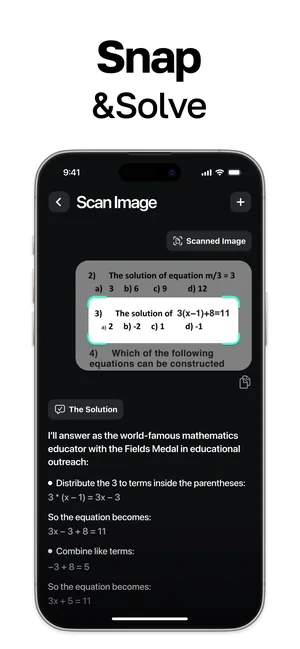
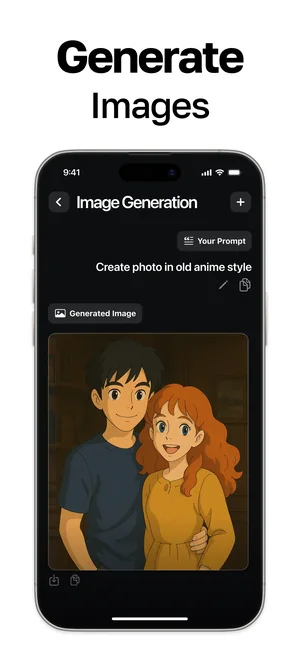
Two things make it more than a chat window. Snap & Solve photographs a problem and works through it step by step rather than only giving the result, and a built-in image generator turns a written description into a picture without leaving the thread.
About this app
AI Chat Bot is a personal assistant for the questions a day actually brings: explain this, draft that, plan the week, solve the equation. Open-ended conversations run alongside task-specific assistants tuned for writing, study and work.
It also creates: describe an image and the built-in generator produces it. Voice chat keeps hands free, and saved history means an answer you got last month is still there when you need it again.
Key features
- Conversations powered by advanced AI models
- Task assistants for writing, study and planning
- Built-in image generation from text prompts
- Voice chat and saved conversation history
When people use it
Getting a first draft out of the way
An email you keep putting off, a message that needs to sound right, a summary of something long. The writing assistants are set up for that rather than for open conversation.
Homework you are stuck on
Photograph the equation with Snap & Solve and the answer comes back with the working shown, which is the part that is actually useful when you have to reproduce it.
Thinking out loud, hands free
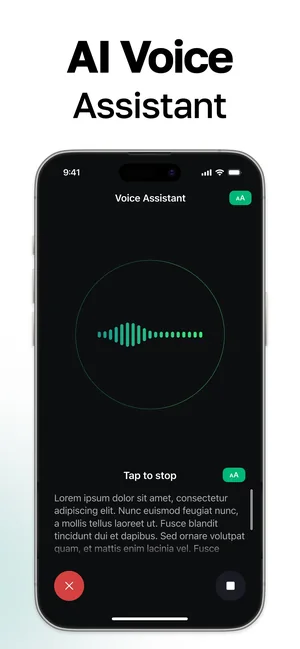
Voice chat listens and answers while you are cooking, walking or driving — a live waveform shows it is hearing you, and a stop button ends the turn.
Planning and structure
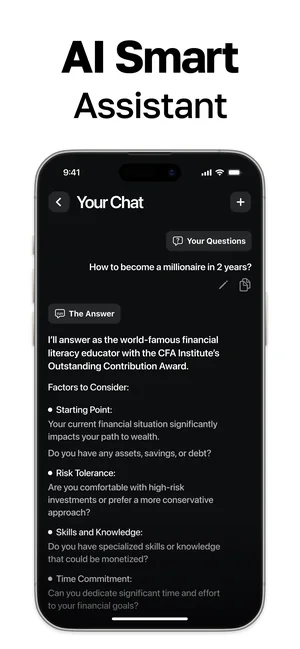
Career questions, trip plans and week schedules come back as sectioned answers rather than a wall of text, so they are easier to act on.
How it works
Start a conversation or pick an assistant
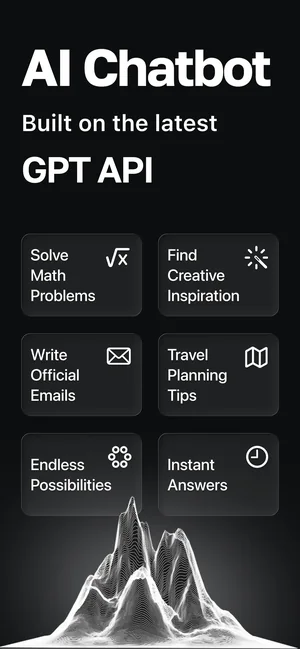
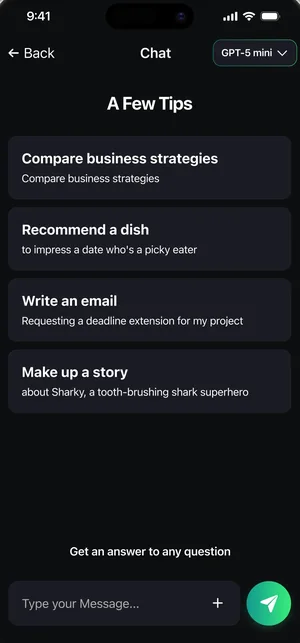
The start screen offers ready paths — maths help, creative ideas, official emails, travel planning — or you can simply type.
Ask in whatever form suits
Type it, dictate it with voice chat, or photograph it with Snap & Solve.
Refine the answer
Follow-up questions stay in the same thread, so context carries and you do not restate the problem.
Generate a picture if you need one
Describe an image and the built-in generator produces it inside the conversation.
Come back to it later
History is saved, so a thread from weeks ago can be reopened and continued.
Good to know
- An AI assistant can be confidently wrong. Check anything that matters — figures, names, dates, code and legal or medical detail — against a real source before relying on it.
- This page does not state which model or provider sits behind the app, how long conversations are retained, or whether they are used for training, because none of that is published for this listing. Read the App Store privacy details before sending anything sensitive.
- Snap & Solve reads what the camera can see. Faint pencil, unusual notation and a crooked photograph all reduce the odds of a correct reading.
- Voice chat needs microphone permission, and generated images need a working connection — none of this runs offline.
Pricing and privacy
Free · In-App Purchases. Subscriptions and purchases are handled by Apple; you can review or cancel them in your Apple Account settings.
Privacy Policy · EULA · Support and refunds
Facts on this page come from the App Store listing and the app's own screens, and were last checked on . Something out of date? Tell us.
Questions about AI Chat Bot
Can it solve a maths problem from a photo?
Yes — Snap & Solve photographs the problem and shows the solution step by step rather than only the final answer. Check the working: a misread digit changes everything after it.
Does it work by voice?
Yes. Voice chat listens with a live waveform and a stop button, so you can ask and hear the answer without touching the screen.
Can it make pictures as well as text?
Yes — describe an image and the built-in generator produces it inside the same conversation.
Are my conversations private?
The app saves your history so you can return to it. What is retained beyond that, and by whom, is described in the App Store privacy details for this listing and in our Privacy Policy — we do not state a retention period here because one is not published.