Guide
How to test your internet speed on iPhone
Open a speed-test app, stand near the router, close anything that is streaming or downloading, and start the test — it takes under 30 seconds and reports three numbers: download, upload and ping. Run it two or three times at different moments before drawing any conclusion, because a single result on a busy network tells you about that minute, not about your connection.
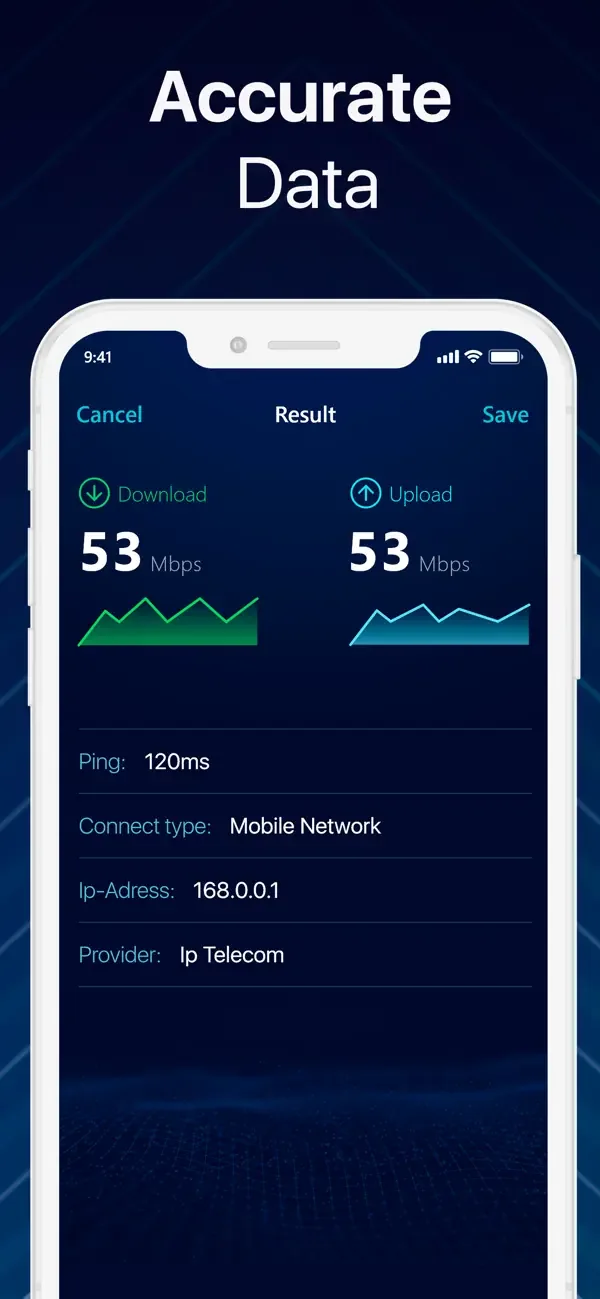
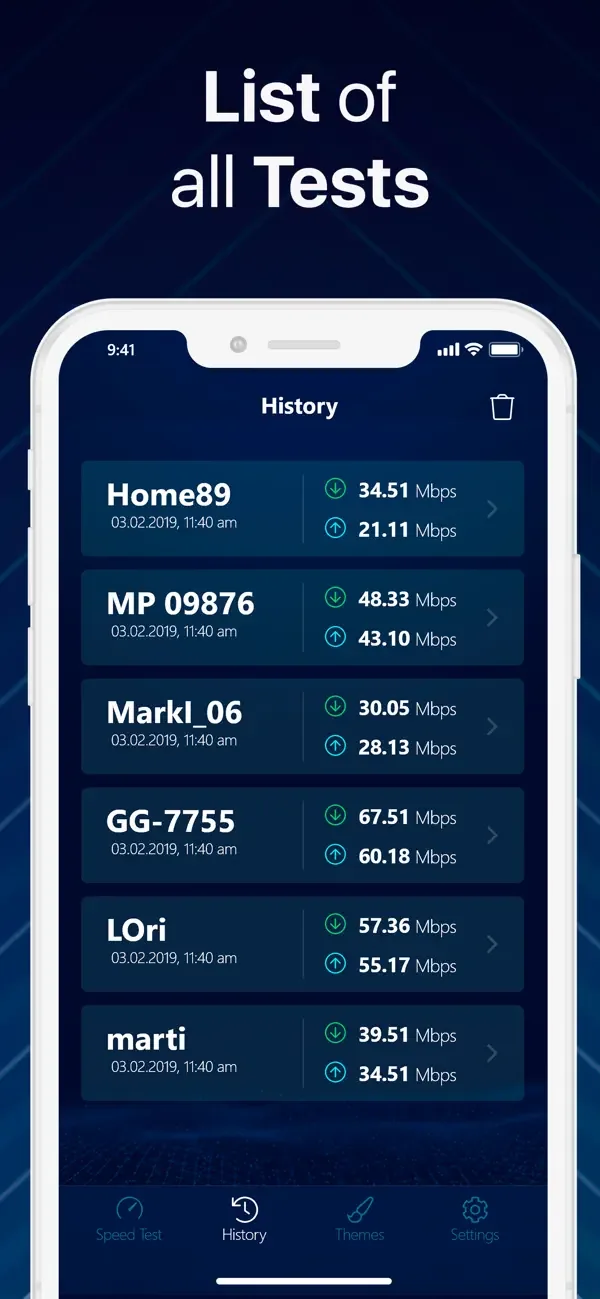
Run the test
Get close to the router
Testing from the far end of the flat measures your walls, not your line. Start next to the router, then repeat where you actually sit.
Stop other traffic
A download, a backup or somebody streaming will show up as a slow line. Pause them.
Pick the connection you mean to measure
Wi-Fi and cellular are different questions. Switch Wi-Fi off if it is the mobile connection you are checking.
Start the test
One tap; the whole run is over in under 30 seconds.
Repeat it
Two or three runs, and again in the evening. Results are saved to the history list, so the comparison is there when you need it.
What the three numbers mean
- Download — how fast data reaches you. This is the number that governs streaming, browsing and downloads, and the one providers advertise.
- Upload — how fast data leaves you. It matters for video calls, cloud backup and sending large files, and on many home connections it is far lower than download by design.
- Ping (latency) — how long a round trip takes, in milliseconds. Low ping is what makes a connection feel responsive; a fast line with high ping still feels sluggish in calls and games.
How much speed do you actually need?
Less than most people assume. The figures below are illustrative, not a standard: every service publishes its own recommended minimum and they differ, so check the ones you actually use. As an order of magnitude, streaming services typically recommend single-digit Mbps for HD and something closer to 25 Mbps for 4K, per simultaneous stream. Video calls need a few Mbps in both directions — which is why upload, not download, is usually what breaks a call.
The figures above are per simultaneous stream. A household running two 4K streams and a video call at once is asking for something quite different from one person browsing.
Why your result is lower than the speed you pay for
- Advertised speeds are the maximum the line can carry, measured at the router, in ideal conditions. Wi-Fi in a real home is not ideal conditions.
- Wi-Fi loses speed through distance, walls and interference from neighbouring networks. A wired device on the same line will usually be faster than any phone.
- Older iPhones and older routers cap out below the line's capability. If the hardware is the bottleneck, no plan upgrade will show up in a test.
- Evening congestion is real. The same connection can measure very differently at 09:00 and 21:00.
- Test servers vary. A distant server measures the route as well as the line.
- VPNs reduce measured speed, because traffic is taking a longer path. Turn one off before testing.
If the numbers look wrong
- Compare Wi-Fi against cellular. If cellular is dramatically faster, the problem is inside your home, not on your line.
- Test next to the router and then where the problem happens. A big gap points at coverage rather than the connection.
- Restart the router before concluding anything — it fixes more than it should.
- Collect several tests with timestamps before contacting your provider. A history carries weight that one screenshot does not.
- If speed is fine but everything still feels slow, look at ping and at which devices are on the network — that is a different diagnosis, and a network analyzer is the tool for it.
Common questions
How often should I test my connection?
Whenever something feels wrong, and then a few times across a day before you conclude anything. Congestion, distance from the router and other devices all move the number, so a pattern is worth more than a single reading.
Why is my upload so much lower than my download?
Most home connections are designed that way, because typical use receives far more data than it sends. It only becomes a problem with video calls, cloud backups or sending large files.
What is a good ping?
There is no official grading. As a rough feel: tens of milliseconds is immediate, and browsing and video stay comfortable well past that. What actually breaks calls is ping that is consistently high or that varies wildly, even when download speed looks healthy.
Does a VPN slow my speed test?
Yes. Your traffic travels via another server first, so both speed and ping change. Test with the VPN off to measure the line itself.
Why is my phone slower than my laptop on the same Wi-Fi?
Different radios, different distance, different band. A phone across the room on 2.4 GHz will measure well below a laptop sitting next to the router on 5 GHz — the line is the same, the link to it is not.
The app used in this guide
Appenvision publishes the app named in this guide. Where a step can be done with the tools already on your iPhone, that route is described first.
Sources
Official documentation for the system steps and for any general figure quoted. Product behaviour is described from the apps themselves; the sources below cover what is not ours to assert.
How this guide was put together
Written from the shipping iOS builds and the features visible in each app's own screens. Where a number or a behaviour could not be verified from the app or its App Store listing, it is not stated here.
System steps are described against current iOS as of the check date above, and app behaviour against the current App Store build. Exact iOS and app build numbers are added per release once the product team confirms them; where a behaviour depends on your own iOS version or settings, the guide says so rather than assuming.
Read next
- How to see every device on your WiFi from an iPhone Find out what is connected to your home network using your iPhone: read the router's own list, scan the network with a LAN scanner, identify unknown devices and lock things down.
- How to use an iPhone as a TV remote Which televisions an iPhone can and cannot control, why there is no infrared option, how to fix a TV the app will not find, and the difference between casting and mirroring.